


Silly Smile Wallpaper & Sound
4.8110.00 Reviews
App Specs
- Version
- 1.7.13
- Updated On
- License
- Free
- Downloads
- 5,000,000+
- Developer
- Daily Tool Labs
- Categories
- Personalization
- Platform
- Android
Screenshots
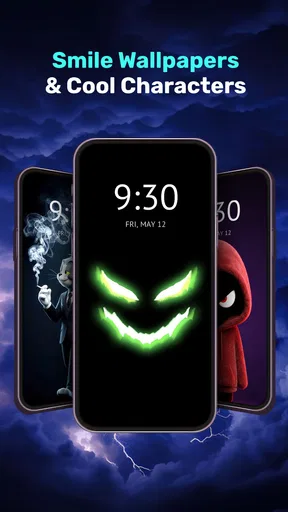
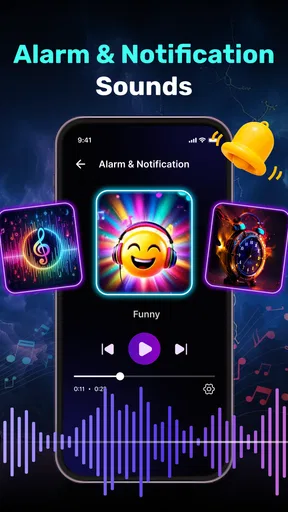
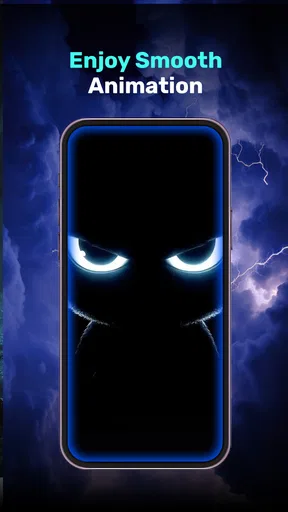
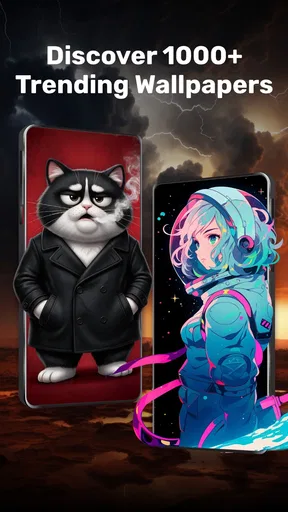
 Analysis by AppCompare
If you’re choosing a new live wallpaper, I’d start with one practical question: do you want your screen to feel lively, or do you mainly want a clean background that stays out of the way? Silly Smile Fun Live Wallpaper is aimed squarely at the first mood. It turns the phone’s backdrop into a playful visual accent, so it makes the most sense for someone who enjoys seeing a bit of motion whenever they check their device. If you prefer a quiet, almost invisible home screen, a still image will probably suit you better.
Choose it for personality, not productivity
This is a personalization app, not a tool for organizing your day or changing how your phone works. Its appeal is emotional and visual: a cheerful screen can make routine moments—checking the time, pausing between messages, or picking up the phone during a break—feel a little less plain. I’d treat it as a small decoration rather than expect it to transform the whole device. That distinction matters because live wallpapers are most satisfying when you genuinely enjoy seeing them repeatedly, not just when the preview looks fun once.
The app is free to install, with optional in-app purchases priced from $0.99 to $2.99 per item. That gives you a low-commitment way to try the general idea before deciding whether any paid extras are worthwhile. I would first use the available free experience for a few ordinary days, including both the home screen and lock screen if your device supports the choice you want. A wallpaper can look charming in a preview but feel busy after repeated use, so living with it is a better test than judging it in a single glance.
What makes the smiley approach appealing
Compared with static wallpapers, an animated smiley theme has more personality and can make a familiar screen feel less sterile. Compared with abstract motion backgrounds, the friendly faces give the design an immediate, lighthearted character. That is a specific strength, but also a matter of taste: if you want elegant photography, subtle gradients, or a minimalist look, a standard image gallery or a more restrained wallpaper app will give you more room to keep the screen visually calm.
A useful way to judge the design is to think about what sits on top of it. App icons, widgets, and notification text all compete with a moving background for attention. If your home screen is already crowded, try a simpler layout before deciding that the wallpaper itself is the problem. For a cleaner result, keep the most-used icons together and avoid placing small text over the busiest part of the image. This is a practical trade-off: the animation may be the reason you chose the wallpaper, but leaving it enough visual space can make the phone easier to scan.
A realistic everyday test
Imagine checking your phone during a quick coffee break, then again while waiting for a message later in the day. If the moving smiles make those brief moments feel cheerful without distracting you from the screen’s actual contents, the app is doing its job. If you find yourself noticing the animation more than your notifications, or you grow tired of the same visual mood, that is a fair sign to switch back to a still background. I would give it a little time in normal use rather than decide from the first unlock.
It is also worth separating wallpaper preference from phone performance. Live backgrounds involve motion, so anyone especially protective of battery life or sensitive to visual movement may prefer a static design. I would not promise that every device or setup will behave identically. A sensible personal check is to use the wallpaper as you normally would, then switch to a still image for comparison under similar conditions. If the difference matters to you, the calmer option is the better choice; if it does not, you can keep the animated look without worrying over a general assumption about all live wallpapers.
Worth Reading Before You Choose

Baby Panda World Brings Quick Play to Modern Phones, but Its Game Library Feels Busy

ESPN’s Live Game View Makes Following Close Games Easier

QuizzLand Review: A Good Fit for Short Trivia Breaks, Not Every Player

Basketball Stars: Multiplayer Is Fast, but Can It Recover When Matches Go Wrong?

WEBTOON Turns Phone Updates Into a Better Reading Routine

Link to Windows Runs on Shared Habits, Not Social Feeds
Brighten Up Your Screen
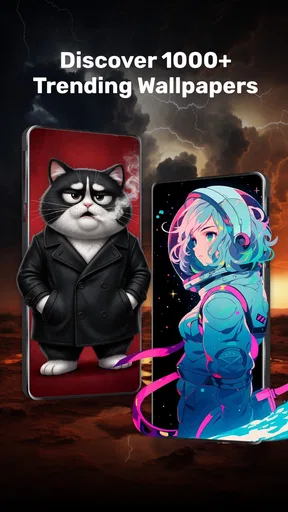
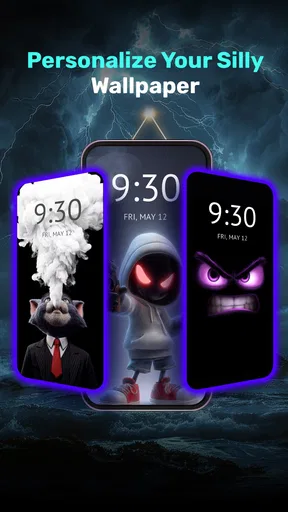
The first thing you'll notice about the Silly Smile Fun Live Wallpaper is its vibrant and cheerful design. The app offers a delightful array of animated smiley faces that dance around your screen. It’s like having a party every time you pick up your phone! The colors are vivid, and the animations are smooth, making it a feast for the eyes. Whether you're having a bad day or just need a quick pick-me-up, these silly smiles are bound to lift your spirits.
Customizable Features
One of the things I really appreciate about this app is its customization options. You can choose from a variety of smiley designs and backgrounds to suit your mood. Want a calm, pastel theme? Or maybe something bold and bright? The choice is yours. Plus, you can adjust the speed and density of the animations, so if you prefer a more relaxed vibe, that's totally doable. It’s all about tailoring the experience to what makes you happy.
Those controls are most useful when you treat them as a balance rather than a checklist. I’d start with a lower animation density if icons and labels seem hard to pick out, then change the speed only if the movement still draws too much attention. On a lock screen, a restrained setup can keep the cheerful detail without making the first glance feel cluttered. On a home screen with fewer icons, you may be able to enjoy a busier arrangement. In other words, the best setting depends less on a universal “ideal” and more on how you actually use that particular screen.
Where a different wallpaper may be better
If you change your background often, prefer matching it to photos, or want one carefully composed image with no motion, a conventional wallpaper picker is likely the easier fit. It avoids animation and lets you prioritize a particular picture or a very clean layout. If you like movement but not cartoon-style faces, a different live wallpaper may better match your taste. The smiley theme is distinctive because it aims for playful charm; that same clear personality means it will not be everyone’s preferred everyday look.
There is a small switching cost with any live wallpaper: after choosing a design, you still need to decide where you want it applied and check how it sits behind your icons or lock-screen elements. Device settings can affect the final presentation, so I’d review both screens rather than assume the preview tells the whole story. If the result feels too busy, changing the animation settings or choosing a still background is a more useful response than repeatedly reinstalling the app. The goal is a screen that works for your routine, not a setup you have to keep fixing.
For someone who shares a phone with family or uses the device in a more formal setting, the playful look is worth considering before making it the default. A smiley background is friendly and informal, but it may not fit every person’s preferred style at work or in public. You can keep it for personal use if your device allows you to change wallpapers easily, or choose a neutral image when a more understated appearance matters. This is not a flaw in the app so much as the consequence of choosing a theme with a strong mood.
Setup, compatibility, and what to expect
Daily Tool Labs develops the app, which is rated for Everyone. It was released on March 26, 2025, and version 1.2.26 is the current version. It requires Android 7.0 or later, so it is a specifically Android choice rather than a cross-platform recommendation for iPhone owners. I’d check the Android version on the device you plan to use before installing, especially if you are setting up an older spare phone. The app has passed one million installs and holds an average rating of 4.4 from around eleven thousand ratings, which gives a useful sense of its reach without telling you whether its particular look will suit your taste.
When you first set it up, take a moment to preview the wallpaper with your usual icons in place. That simple check can answer several practical questions at once: whether the colors interfere with labels, whether motion is comfortable to look at, and whether you prefer it on the lock screen, home screen, or both where your phone offers those options. I would also keep a static wallpaper in mind as an easy fallback. Switching to one is a straightforward way to compare the experience if you notice distraction, dislike the visual after a few days, or simply want a quieter screen for a while.
People often ask whether a live wallpaper is worth keeping if they only notice it briefly. For me, the answer depends on whether those short glimpses feel pleasant rather than demanding. If you rarely look at your background because your phone opens directly into an app, the benefit may be modest. If you regularly pause at the home screen and enjoy a friendly visual detail, the animation can earn its place. It is also reasonable to ask whether the app costs money: installation is free, while optional purchases fall between $0.99 and $2.99 per item. You can decide whether the basic experience is enough before spending anything.
Who I’d recommend it to
The app is a good fit for Android users who want their phone to feel cheerful, enjoy animated decoration, and are happy to adjust a wallpaper until it works with their layout. It may be especially appealing if you like expressive designs more than photography or minimalist backgrounds. I’d skip it if motion distracts you, if you need an understated screen, or if you are looking for a wallpaper collection built around a very different visual style. Those are clear preference differences, not problems that a few settings can necessarily solve.
My practical recommendation is to try it without making the animated look permanent on day one. Set it up, use the phone as usual, and notice whether the smiles remain a welcome accent after the novelty settles. If you keep enjoying the screen and the movement does not get in the way of icons or notifications, it is a fun personalization choice. If you find yourself wanting less motion, a still wallpaper is not a downgrade; it is simply a better match for that moment.
Easy on the Battery
Now, I know what you’re thinking: "Live wallpapers are notorious battery drainers!" But here’s where the app surprises you. The developers have done a stellar job in optimizing the animations to ensure they don’t chew through your battery life. I’ve been using it for a week now, and honestly, I haven’t noticed any significant drain. It’s almost like having your cake and eating it too!
Installation and Compatibility
Getting started with this app is a breeze. Simply head over to the app store, download, and you’re good to go. It’s compatible with most Android devices, so you shouldn’t run into any issues there. The interface is user-friendly, and setting your new wallpaper is as simple as pie. No technical wizardry required!
In conclusion, the Silly Smile Fun Live Wallpaper is a delightful addition to any smartphone. Its charming animations and customizable features make it a standout choice for anyone looking to add a little joy to their tech. So why not give it a shot? After all, who couldn’t use a few more smiles in their day?
Pros
- Interactive and engaging animations.
- Customizable settings for personalization.
- Lightweight app with minimal battery drain.
- Compatible with most Android devices.
- Regular updates with new features.
Cons
- Limited free features
- in-app purchases required.
- May slow down older devices.
- Ads can be intrusive at times.
- Limited support for widget integration.
- Requires internet for some functionalities.
FAQs for Silly Smile Wallpaper & Sound
What features does Silly Smile Fun Live Wallpaper offer?
Silly Smile Fun Live Wallpaper provides a vibrant collection of animated smiley faces designed to bring joy to your home screen. With customizable backgrounds, interactive elements, and smooth animations, users can personalize the experience to suit their preferences. It also supports both portrait and landscape modes for seamless functionality.
Is Silly Smile Fun Live Wallpaper compatible with all devices?
The app is designed to be compatible with most Android and iOS devices, but performance may vary depending on your device's specifications. It requires a moderate amount of RAM and a stable operating system to function optimally. Check the app store for specific compatibility details before downloading.
How does Silly Smile Fun Live Wallpaper impact battery life?
While live wallpapers can be visually appealing, they may consume more battery than static images. Silly Smile Fun Live Wallpaper is optimized to minimize battery usage by pausing animations when the screen is off or when other apps are in use. However, users should monitor their device’s battery consumption.
Are there any in-app purchases or ads in Silly Smile Fun Live Wallpaper?
The app is free to download, but it includes optional in-app purchases to unlock premium features and additional smiley designs. Users may encounter ads in the free version, but these can be removed by upgrading to the premium version. This ensures a more seamless experience without interruptions.
Can I customize the smiley faces in the wallpaper?
Yes, Silly Smile Fun Live Wallpaper offers various customization options. Users can choose from a wide range of smiley faces, adjust their sizes, and select different background patterns. The app also allows for color adjustments to match personal aesthetics, providing a unique and personalized wallpaper experience.


